![gemini-logo-horizontal.svg]](https://hub.geminimade.com/hubfs/gemini-logo-horizontal.svg)
Starting a quote for a large project is easy in Partner Portal. At Gemini, we consider a large project that includes 10 or more signs for a large building or multiple locations. Follow these simple steps to get started.
1. Log in to Partner Portal.
2. Select the red Start Here button on the Dashboard or the red Start a Quote button on the upper right corner of the screen.
.png?width=670&height=361&name=Untitled%20design%20(24).png)
3. Name your quote in the space provided and hit Save to proceed.
4. Choose Large Project.
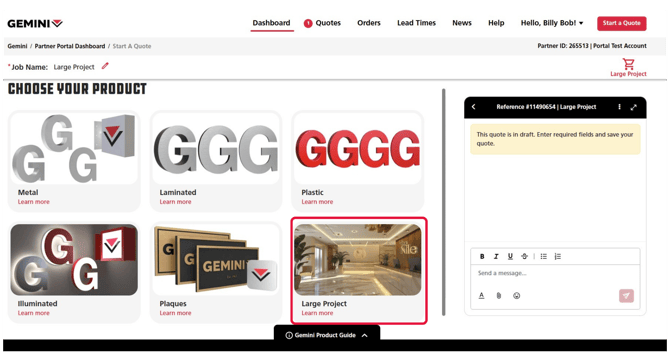
5. Enter your bid date in the space provided.
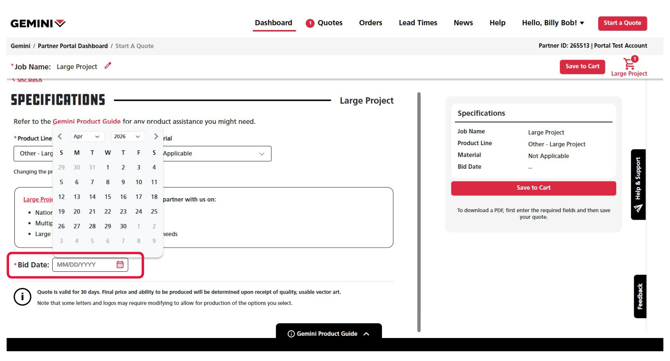
Note: Entering a bid date is required.
6. Select Save to Cart and select either Review Cart or Add Another Product Line.
7. Then, in the notes field, enter the details about the large project. You can also add artwork or additional files.

Tip: Add as much information as you can. This helps our Large Project Team quote your request.
Note: Notes are required to submit a large project request.
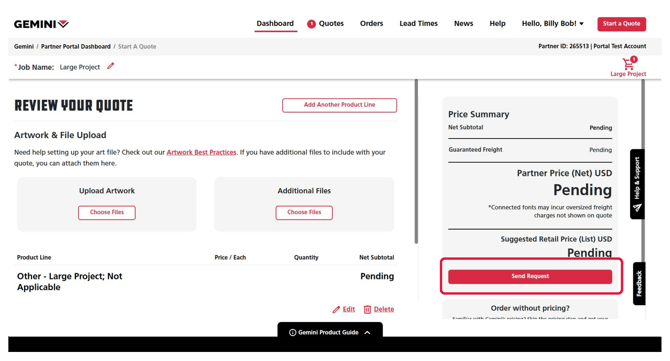
8. When you are ready to send your request, press the red Send Request button on the right-hand side to send your request to our Large Project team to will review your quote and contact you with pricing or if we have additional questions.
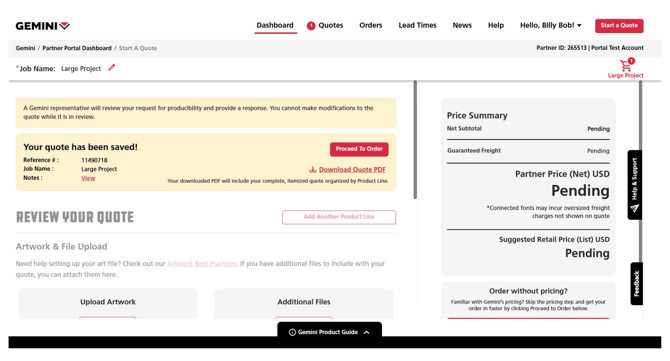
If you have any questions, click the black Help & Support button near the black paper airplane icon at the right of the screen to contact your customer experience team.